Your cart is currently empty!
Category: Design
Design
-
Video Background Demonstration
Video Background by Majestic Vision
This is a sample video background page.
Below is a “Gallery”


Below is a Product Grid of “Services” Category
-
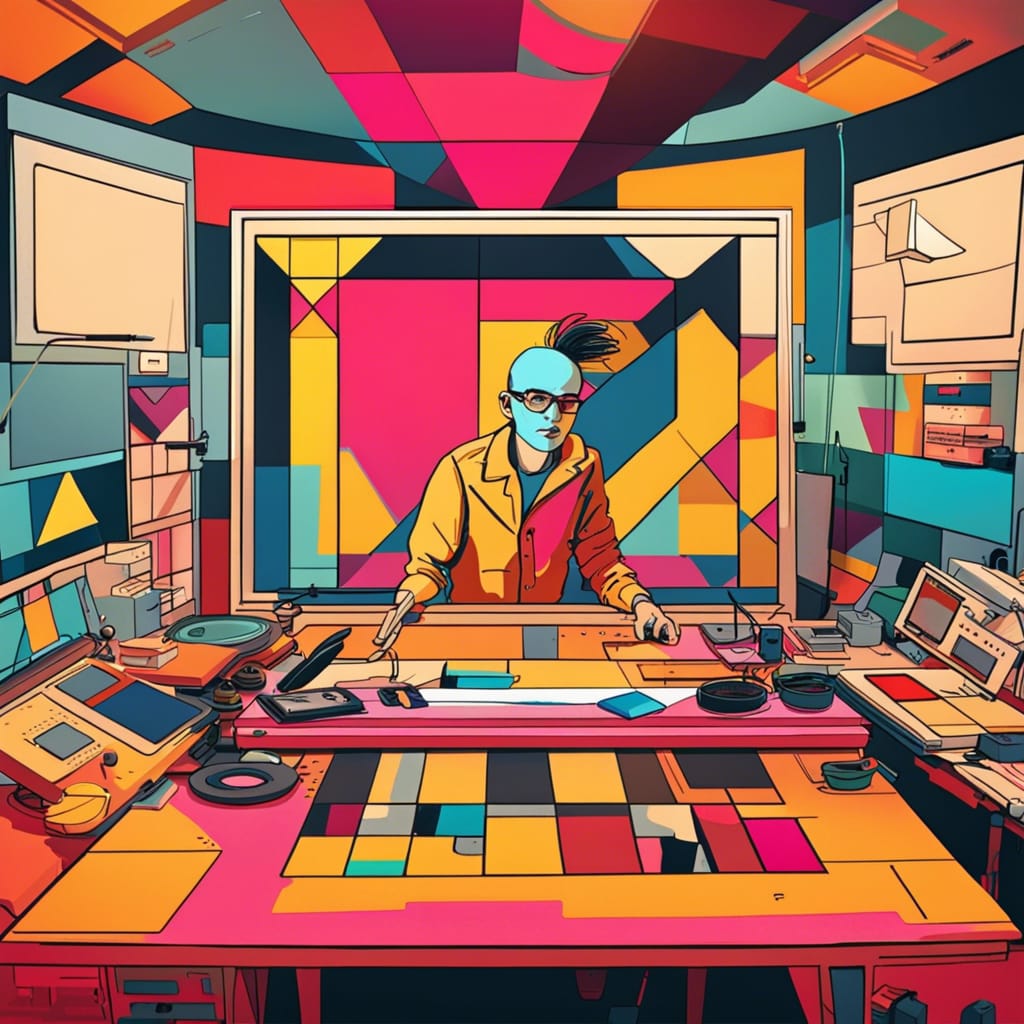
Stop Motion Animation
What is Stop Motion Animation
Stop motion animation is a filmmaking technique used to create the illusion of motion by capturing one image at a time and gradually changing the position of objects in between frames. This is then played back to create the appearance of movement. It can be used to animate physical objects such as clay figures, toys, and household items, or even drawings on paper. It can also be combined with techniques from computer-generated imagery (CGI) and special effects in order to create more complex images. Stop motion has been around since the late 19th century, and since then it has been used in animated films, television shows, commercials, music videos and video games. Stop motion is unique from other kinds of animation because it has a tactile quality that gives it a tangible presence not found in traditional digitally-created animation. Each frame captures a real-life physical object which provides an additional layer of realism when viewed onscreen. In addition to its aesthetic effect, stop motion also has practical applications such as medical research and industrial design.

History of Stop Motion AnimationStop-motion animation has been used in films since the late 19th century. One of the earliest uses of stop motion animation was in Georges Méliès’ 1896 film “The Devil’s Castle” which featured a toy soldier animated to appear as if it was coming to life and walking around. In 1908, J. Stuart Blackton released “Humorous Phases of Funny Faces” which featured cartoon drawings that were brought to life through stop-motion animation.
In the 1920s, William Randolph Hearst established a newsreel service called International Newsreel which used clay figures in its animations. This eventually led to the development of animated films such as “Gulliver’s Travels” (1939), “Fantasia” (1940), and “The Three Caballeros”(1945). All these films were created using stop-motion animation. During this time period, stop motion was also used for television commercials and music videos such as Michael Jackson’s “Thriller” (1983).
Stop motion animation has seen a recent resurgence in popularity with Aardman Animations producing films like Wallace & Gromit: The Curse of the Were-Rabbit (2005) and Chicken Run (2000). Computer-generated imagery has also been combined with stop-motion techniques in order to create more sophisticated effects, as seen in Coraline (2009) and ParaNorman (2012). Stop motion is now being used for educational films, medical simulations, video games, and industrial design purposes as well.
Types of Stop Motion Animation
There are several different types of stop-motion animation that can be used to create animated films, videos, and commercials.
Clay animation, also known as claymation or plastimation, is one of the most popular stop-motion techniques. Clay is molded into characters and objects and then posed before being photographed and added to the sequence. Clay animation has been used for decades in classic films such as The California Raisins (1988) and Davey and Goliath (1960).
Cut-out animation utilizes flat characters or figures which are cut out from paper or card stock and then moved slightly between each frame. This technique was famously used in Terry Gilliam’s Monty Python animations for the British television show Monty Python’s Flying Circus (1969 – 1974).
Pixilation involves filming people who have been asked to move one part of their body at a time in order to create the illusion of movement. This technique has seen recent popularity with music videos such as OK Go’s “This Too Shall Pass” (2010) which was filmed entirely using pixilation.
Object animation involves animating physical objects by moving them slightly between frames. Objects like toys, household items, or even drawings on paper can be used for this technique. It is often combined with other stop motion techniques for more complex effects. One example of object animation is Tim Burton’s Corpse Bride (2005), which included both puppet characters and real-world objects that were brought to life using stop motion techniques.
Finally, there is computer-generated imagery (CGI) stop motion animation which combines 3D computer-generated graphics with traditional 2D puppets or models. This technology has been used to create some of the most visually stunning films in recent years including Coraline (2009) and ParaNorman (2012). CGI stop motion allows filmmakers to create images that blend CG elements with a tactile quality only found in traditional stop motion animation.
Benefits of Using Stop Motion in Film and Video Production
Benefits of using stop motion in film and video production include:
– Realistic animation that has a tactile quality not found in other types of animation.
– Ability to create complex visuals with the combination of CGI and traditional stop-motion techniques.
– Flexibility to animate physical objects such as clay figures, toys, household items, or drawings on paper.
– Potentially lower costs than fully computer-generated films due to fewer technical requirements.
How to Create a Basic Stop-Motion Scene
Creating a basic stop-motion scene is not as daunting as it may seem. With the right tools and a bit of practice, anyone can make their own stop-motion animation. Here are some tips on how to create a basic stop-motion scene:
1. Choose your subject matter: First, decide what type of object you want to animate and what kind of environment you will need to set up for it. Do you want to animate clay figures, toys, or everyday items? Will you use cut-outs, paper drawings, or CGI?
2. Gather your materials: Once you have decided on the objects and environment for your scene, gather all the materials that you will need. This could include clay figures, toys, props, drawing supplies (if using cut-outs), and CGI software (if using computer-generated imagery).
3. Set up your scene: Depending on the complexity of your project, this could involve anything from assembling a miniature set with props and lights to designing an intricate virtual world in 3D software. In either case, it’s important to plan ahead so that everything is ready before filming begins.
4. Take pictures: Set up your camera at one point in the scene and take a picture of the objects in their initial position. Then move the objects slightly and take another picture – this is one frame of animation! Keep taking pictures while gradually moving the objects until they reach their final position – this will be the last frame in your sequence. Make sure to keep track of how many frames you’ve taken so that you don’t lose count!
5. Edit and add music/sound effects: Once all the frames have been captured, it’s time to edit them together into a cohesive animation sequence! You can also add sound effects or music to enhance the atmosphere of your scene if desired.
Creating stop motion animation can be quite rewarding once all steps are completed! With patience and practice anyone can master this unique art form and bring their stories to life through charming animated sequences – making them perfect for videos or films which require more realism or dynamic movement than traditional digital animations provide!
Challenges Faced When Working with Stop Motion Projects
Successfully overcame technical challenges while working on stop motion projects, such as ensuring proper lighting and creating high quality figures and props for animation.
While stop motion animation has many benefits, it can also be challenging to create a high-quality final product. Here are some common challenges faced when working on stop motion projects:
1. Technical Challenges: Stop motion requires precise timing and attention to detail in order for the animation to look professional and polished. This includes making sure the lighting is consistent throughout the scene, capturing each frame with clarity, and ensuring that any CGI elements appear realistic.
2. Creating Quality Figures & Props: Clay figures or cut-outs used in stop motion must be carefully sculpted with precision and detail while cut-outs should be cleanly cut with no rough edges or jagged lines. This is important as small flaws will become more visible with each frame of animation.
3. Limited Movement: Stop motion relies on gradual, incremental movement and can be difficult to animate complex movements or fast-paced action sequences. Additionally, the number of frames available in a stop-motion scene can limit how much detail can be included within the animation itself.
These challenges are all manageable with practice and patience! By following these tips, you can create professional-looking stop-motion animations that impress viewers with their high-quality visuals!
Examples of Popular Movies that Used the Technique
Stop-motion animation is an incredibly popular animation technique used in many movies. Some of the most memorable and beloved films to use stop motion include 1993’s The Nightmare Before Christmas, directed by Tim Burton and Henry Selick; 2009’s Coraline, directed by Henry Selick; and 2015’s Anomalisa, directed by Charlie Kaufman and Duke Johnson. Additionally, classic Rankin/Bass holiday specials such as Rudolph the Red-Nosed Reindeer (1964) and Santa Claus Is Comin’ to Town (1970) featured stop-motion sequences within their stories.
In addition to feature films, many famous television shows have incorporated stop motion into their animations. For example, Laika Entertainment used stop motion animation for their Emmy award-winning series, Robot Chicken, which aired on Adult Swim from 2005-2018. Other popular shows like South Park (1997-present) have featured handcrafted clay figures for certain episodes and scenes as well.
The iconic 1968 film Yellow Submarine by The Beatles also utilized a unique form of cut-out animation that was part live-action and part stop motion. This method enabled the filmmakers to create an array of vibrant characters and environments that could not be achieved with standard animation techniques – making it one of the most visually exciting animated musicals ever created!
As one can easily see, there are endless possibilities when it comes to creating compelling animations with stop motion techniques! From classic holiday specials to modern CGI films, these beloved animated creations will forever remain timeless classics in our hearts.
Final Thoughts on the Art Form
Stop-motion animation is an incredibly versatile and creative art form, offering endless possibilities for filmmakers to explore. With patience and practice, anyone can create a stunningly beautiful stop-motion masterpiece that will captivate viewers with its unique visuals. Whether you’re creating a short film or full-feature movie, these tips should help you on your journey as you strive to bring your story to life! So don’t be afraid to give it a try – who knows what kind of magical adventure awaits?
-

Google’s ABCDs of Effective Creative: How to Make Your Ads Work Harder
As a small business owner, you know that effective advertising is essential to growing your business. But with so many options and moving pieces, it can be difficult to know where to start. If you’re feeling overwhelmed, never fear! Google has put together a set of research-backed creative guidelines that they call the ABCDs of effective creative. Keep reading to learn more about what the ABCDs are and how you can use them to create more effective ads for your business.
The ABCDs of Effective Creative: An Overview
So, what are the ABCDs of effective creative? They stand for Attention, Branding, Connection, and Desire. Let’s take a closer look at each one:
Attention: In order for your ad to be effective, people need to actually see it. That seems like a no-brainer, but you’d be surprised how many businesses invest in ads that no one ever sees because they’re not placed in high-traffic areas or they’re not relevant to their target audience. Pay attention to where your ads are being placed and make sure they’re being seen by people who are actually interested in what you’re selling.
– Capture attention in the first frame
– Start strong to keep them watching
– The most important part of your ad is the beginning
– Use a strong headline
– Use eye-catching visuals
– Use interesting sound and copy text
– Use a catchy slogan
Another method to get the attention of your viewer quickly is using the emerging story arc. The emerging story arc is a technique used in fiction where the story starts with a mini-climax or inciting incident and then quickly goes into the main conflict. This grabs the reader’s attention right away and pulls them into the story. You can use this same technique in your ads by starting with something interesting or unexpected that will pique people’s curiosity and make them want to see more.
Design for Mobile
As of June 2017, more people are using mobile devices to access the internet than desktop devices. This shift can be attributed to a number of factors, including the proliferation of affordable smartphones and the increasing availability of high-speed mobile data networks. This trend is particularly pronounced in developing countries, where mobile devices are often the only means of accessing the internet. In fact, in some countries, such as India, more than 90% of internet users access the web via a mobile device.
This shift has had a profound impact on the way businesses operate. A growing number of companies are now designing their websites and apps specifically for mobile devices, and many are abandoning the traditional desktop-based model in favor of a more mobile-centric approach.
There is no question that mobile devices have become an essential part of our lives. We use them for everything from communicating with friends and family to getting work done. As a result, it is more important than ever for technology developers to design for mobile.
One reason why it is so important for developers to design for mobile is because of the increasing number of people who are using mobile devices. In fact, recent studies have shown that more people now access the internet via mobile devices than through traditional computers. This trend is only expected to continue, so it is critical that developers take this into account when designing their products.
Another reason why it is important for developers to design for mobile is because of the unique features of mobile devices. For example, mobile devices typically have smaller screens than traditional computers, so developers need to be sure to create user interfaces that are optimized for these screens. Additionally, mobile devices often rely on touchscreens rather than mouse input, so developers need to make sure that their products are easy to use with just a finger.
Ultimately, if technology developers want their products to be successful, they need to design them with mobile users in mind. By taking the unique features of mobile devices into account, developers can create products that are not only easy to use but also enjoyed by a wide audience.
Branding:
It’s important to remember that your ad is an extension of your brand. Everything from the visuals to the copy should be in line with your brand identity. If you’re not sure what your brand identity is, take some time to do some soul-searching (or hire a branding consultant) before you start working on your ad. Once you have a clear understanding of your brand, make sure that everything in your ad reflects that. Consistency is key when it comes to branding, so if you’re using multiple channels to advertise (e.g., TV, print, online), make sure that your ads across all channels are consistent with each other.
– Use recognizable logos, colors, and fonts
– Create a consistent look and feel across all ads
– Make sure your ad reflects your brand’s personality
– Highlight what makes your brand unique
– Use customer testimonials and reviews to build trust
If you’re a small business owner, it’s important to think about your branding. What do your customers think of when they think of your business? Is it a certain color scheme? A particular font? What comes to mind when people hear your business name? Branding is important because it helps customers understand who you are and what you stand for. It can help customers feel more connected to your company and make them more likely to return in the future. It can also help you attract new customers and set you apart from your competitors. Think about how you want your business to be perceived and work towards creating a consistent brand identity that reflects that. Be sure to keep your branding consistent across all of your marketing materials, from your website to your social media profiles to your advertising.
If you take the time to focus on your branding, you’ll be able to create a stronger connection with your customers and set yourself apart from the competition. Your ad should reflect your brand’s unique personality and style. People should be able to look at your ad and instantly know that it’s yours. This can be accomplished through the consistent use of colors, fonts, and logos across all of your marketing materials.
Connection:
One of the most important aspects of effective advertising is connecting with people on an emotional level. When you can make them feel something, they’re more likely to take action and buy what you’re selling. But how do you do that? It’s not as difficult as it may seem. Just follow these simple tips:
1) Make sure your ad is relevant to your target audience.
2) Use images and words that evoke strong emotions.
3) Tell a story that connects with people on a personal level.
4) Appeal to people’s sense of vanity or desire for self-improvement.
5) Use humor to create a connection with people’s emotions.
6) Be genuine and authentic in your marketing materials. People can tell when you’re faking it, and they won’t trust you if they think you’re trying to scam them.
When you hear a story, any story, what do you want to feel? Empathy. Connection. A sense that you’re not alone in the world. That’s what makes a good marketing campaign great. It’s why we tell stories. Marketing campaigns that use humor, surprise, and intrigue to engage their audiences are the most successful. When people are entertained, they are more likely to pay attention and remember the message. Some great ways to engage an audience with humor, surprise, and intrigue include using catchy slogans, incorporating unexpected visuals, and telling stories.
One example of a marketing campaign that uses humor to engage its audience is the “Dumb Ways to Die” campaign by Metro Trains in Melbourne, Australia. The campaign features a series of catchy songs with darkly humorous lyrics that warn about the dangers of being killed or injured by doing dumb things around trains. The videos have been viewed over 100 million times on YouTube, and the campaign has won numerous awards, including Grand Prix at the Cannes Lions International Festival of Creativity.
One metric to use to measure the effectiveness of your connection is CTR. The click-through rate (CTR) is a metric that measures how often people who see your ad end up clicking on it. A high CTR is indicative of an effective ad because it means that people are not only seeing your ad, but they’re also finding it relevant and engaging enough to click through to learn more about your product or service.
Music
When it comes to producing video ads, sound and music are two of the most powerful tools at your disposal. They can be used to create a sense of excitement and urgency, to convey emotion, and to engage the viewer’s attention. Music is especially effective at setting the tone for an ad and establishing a mood. It can be used to make an ad feel more upbeat or energetic or to create a feeling of suspense or intrigue. The right music can also help to underscore the message of the ad and make it more memorable. Sound is also an important tool for drawing attention to your ad. It can be used to create a sense of urgency or importance or to highlight specific points that you want the viewer to remember. By using sound strategically, you can keep the viewer’s attention focused on your ad until the very end.
Direction or Desire:
Problem: You’ve put together a great video, but it’s not getting the response you want.
Most people only watch a video for about 10 seconds before deciding whether to keep watching or move on. If your video doesn’t have a clear CTA by that point, you’re losing out on potential conversions.
Solution: Use audio to influence the viewer to take action. By adding an audio clip with a strong CTA at the beginning and end of your video, you can increase conversions significantly.
Your ad should create a desire for your product or service in the minds of your target customers. The best way to do this is to focus on the benefits of your product or service rather than the features. For example, if you sell tires, don’t just list the specs of the tires in your ad (e.g., “Our tires have a tread life of 50,000 miles”). Instead, focus on what that benefit means for the customer (e.g., “Our tires will last twice as long as the average tire, so you’ll save money in the long run”). Your ad is essential for creating desire in the public eye for your product. By utilizing clever slogans, exciting visuals, and persuasive language, you can make your product stand out from the rest. Once the viewer has the desire, you provide the direction.
When it comes to advertising, one of the most important things is having a clear call-to-action (CTA). This is what encourages people to take the next step, whether that’s making a purchase, signing up for a service, or something else.
There are many different ways to create a clear CTA, but some of the most common techniques include using strong verbs such as “buy,” “register,” or “download,” and making the CTA stand out visually so it’s easy to see. It’s also important to make sure the CTA is relevant to the offer you’re promoting; if someone sees an ad for a new restaurant, for example, they shouldn’t be expected to click on a button that says “buy now.”
When it comes to creating effective CTAs, there are no hard and fast rules; experimentation is often necessary in order to find what works best for your brand and your target audience. However, following these basic guidelines should help you create advertising that encourages people to take the next step and convert into customers.
Conclusion:
The ABCDs of Effective Creative is a great starting point for creating ads that will actually work hard for your business. By paying attention to where your ads are placed, making sure they reflect your brand’s unique personality, focusing on creating a desire for your product or service, and measuring your click-through rate, you can create ads that are sure to grab attention and generate leads.
Great creative is essential for any successful advertising campaign, but it’s not the only factor you need to consider. Placing your ads in the right place, making sure they stand out visually, and using clear and relevant CTAs are all important aspects of creating effective ads. By following these simple guidelines, you can create ad campaigns that are more likely to result in conversions.
-
Graphic Design Questionnaire

Our team of skilled graphic designers are ready to take on your next project. Whether you need a new logo, an updated website design, or help with your brand identity, we can help. Our comprehensive questionnaire will help us understand your vision and give us the information we need to create a beautiful, engaging, and effective solution for your business. Let us put our years of experience and passion for graphic design to work for you! -
Canonical Links and Content Origination
When articles are published on more than one website, search engines use canonical links to determine and prioritize the ultimate source of content. If your article was originally published on another platform, and you want search engines to index that article instead of this, you can set the canonical link here.
To set a canonical link, simply add a tag to the head of your article with the rel=”canonical” attribute. The value of this attribute should be the URL of the original article. For example, if your article is originally published at http://example.com/article, but is also available at http://example.net/article, you would add the following tag to the head of the page:
<link rel=”canonical” href=”http://example.com/article”>
This tells search engines that the canonical URL for this article is http://example.com/article, and that they should index that version of the article instead of the one at http://example.net/article.
Canonical links are a powerful way to tell search engines which version of an article you want them to index and can help ensure that your content is properly attributed to your website. The origination of content on the internet is an important factor in protecting intellectual property rights. When content is created, it is assigned a canonical link. This is the official, unique URL that represents that content. Canonical links act as the fingerprints for digital content, allowing copyright holders to track their work and enforce their rights.
Canonical links are important because they give content creators control over their data. By having a canonical link, creators can help to ensure that their work is not being used without permission. Canonical links also help to prevent content from being duplicated or plagiarized. When someone copies and pastes your content without including the canonical link, it can be difficult to prove that you are the rightful owner of the material.
If you are worried about someone stealing your content, be sure to include canonical links in your published work. This canonical link serves as the source of truth for that piece of content. Any time the content is shared or used, the canonical link ensures that those using the content are doing so with the owner’s permission.
This system gives control over data to the people who create it. It allows creators to determine how their work is used and prevents others from profiting from their creations without permission. canonical links also help to ensure that credit is given where it is due. When someone uses or shares your content, they should be linking back to its original source. This way, you get the credit you deserve for your hard work. Canonical links are an important part of maintaining control over your online content. Be sure to include them in your published work to help protect your intellectual property rights.
-

Types of QR Codes
A QR code (abbreviated from Quick Response Code) is a type of matrix barcode (or two-dimensional code), readable by smartphones and dedicated QR code readers. The code consists of black modules (square dots) arranged in a square grid on a white background, which can be read by an imaging device such as a camera or sensor. The information encoded can be text, URL, or other data. Below is a list of the types of information that are common use cases for QR Codes:
A QR code (Quick Response code) is a two-dimensional barcode that can store information in a compressed form.
A SMS QR code is a type of QR code that can be used to send text messages. It is similar to a traditional QR code, but it contains additional information that allows the recipient’s phone to automatically start a text message conversation with the sender.
A PayPal QR code is a type of QR code that can be used to send payments. It is similar to a traditional QR code, but it contains additional information that allows the recipient’s phone to automatically start a PayPal payment conversation with the sender.
A bitcoin QR code is a type of QR code that can be used to send bitcoins. It is similar to a traditional QR code, but it contains additional information that allows the recipient’s phone to automatically start a bitcoin payment conversation with the sender.
A wifi QR code is a type of QR code that can be used to connect to a wireless network. It is similar to a traditional QR code, but it contains additional information that allows the recipient’s phone to automatically connect to the network specified in the QR code.
An email QR code is a type of QR code that can be used to send emails. It is similar to a traditional QR code, but it contains additional information that allows the recipient’s phone to automatically start an email conversation with the sender.
A WhatsApp QR code is a type of QR code that can be used to start a WhatsApp conversation with the sender.
An address QR code is a type of QR code that can be used to send mail to a recipient. It is similar to a traditional QR code, but it contains additional information that allows the recipient’s phone to automatically start an email conversation with the sender.
A Event QR code is a type of QR code that can be used to register for an event. It is similar to a traditional QR code, but it contains additional information that allows the recipient’s phone to automatically register for the event specified in the QR code.
An image QR code is a type of QR code that can be used to store images. It is similar to a traditional QR code, but it contains additional information that allows the recipient’s phone to store the image specified in the QR code.
A video QR code is a type of QR code that can be used to store videos. It is similar to a traditional QR code, but it contains additional information that allows the recipient’s phone to store the video specified in the QR code.
A coupon QR code is a type of QR code that can be used to redeem coupons. It is similar to a traditional QR code, but it contains additional information that allows the recipient’s phone to redeem the coupon specified in the QR code.
A document QR code is a type of QR code that can be used to store documents. It is similar to a traditional QR code, but it contains additional information that allows the recipient’s phone to store the document specified in the QR code.
An app QR code is a type of QR code that can be used to install an app. It is similar to a traditional QR code, but it contains additional information that allows the recipient’s phone to automatically install the app specified in the QR code.
An audio QR code is a type of QR code that can be used to store audio files. It is similar to a traditional QR code, but it contains additional information that allows the recipient’s phone to store the audio specified in the QR code.
A feedback QR code can be used to provide feedback about a product or service. It is similar to a traditional QR code, but it contains additional information that allows the recipient’s phone to automatically send feedback about the product or service specified in the QR code.
A profile QR code can be used to store personal information about the recipient. It is similar to a traditional QR code, but it contains additional information that allows the recipient’s phone to store the personal information specified in the QR code.
Here are a few unique or less common QR code applications:
-Storing passwords: A QR code can be used to store passwords, which can then be used to automatically log in to websites or apps.
-Storing contact information: A QR code can be used to store contact information, which can then be used to automatically add new contacts to the recipient’s phone.
-Storing boarding passes: A QR code can be used to store boarding passes, which can then be used to automatically check in for flights.
-Storing event tickets: A QR code can be used to store event tickets, which can then be used to automatically enter the event.
-
Tube Buddy

Your best friend on the road to YouTube success.
TubeBuddy is a FREE browser extension & mobile app that integrates directly into YouTube to help you run your channel with ease. -
G Suite
What is G Suite?
G Suite is a cloud-based productivity suite that helps teams communicate, collaborate and get things done from anywhere and on any device. It’s simple to set up, use and manage, so your business can focus on what really matters.
Millions of organizations around the world count on G Suite for professional email, file storage, video meetings, online calendars, document editing and more.
Watch a video or find out more here.
Here are some highlights:
Business email for your domain
Looking professional matters, and that means communicating as you@yourcompany.com. Gmail’s simple, powerful features help you build your brand while getting more done.
Access from any location or device
Check email, share files, edit documents, hold video meetings and more whether you’re at work, at home or in transit. You can pick up where you left off from a computer, tablet or phone.
Enterprise-level management tools
Robust admin settings give you total command over users, devices, security and more. Your data always belongs to you, and it goes with you if you switch solutions.